
Google Colab Set-Up
1. Make sure you’re logged into your Google account.
2. Click on this link to access the Test Notebook https://colab.research.google.com/drive/1YdHzcChhTJtBXqdK0yvCfz4uvraKw6T0
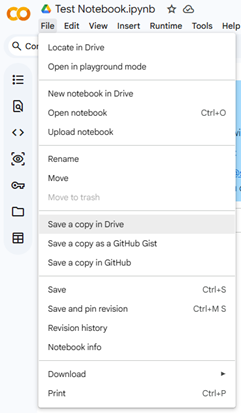
3. Click on File > Save a copy in Drive You should be able to edit the Colab notebook that you saved in your Drive.
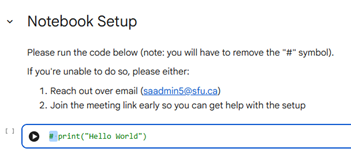
4. Click on the code and remove the # symbol.
You should be able to edit the Colab notebook that you saved in your Drive.
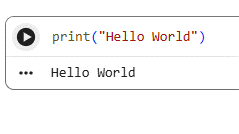
5. Click on the Run symbol and you should see the following output.